
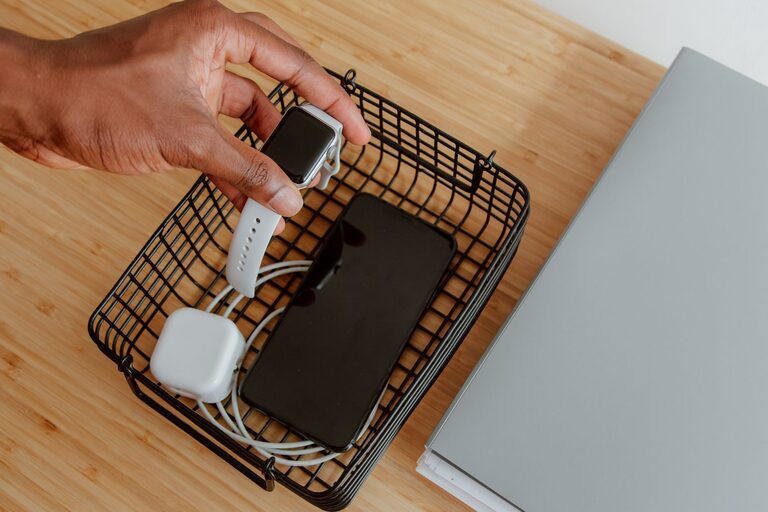
How to Set Up a Convenient Charging Station for Your Devices
Setting up a charging station for your devices is an excellent way to keep your gadgets organized, fully charged, and ready to use. Whether you have smartphones, tablets, smartwatches, or other rechargeable devices, a centralized charging area can reduce clutter, protect your cables, and save you time. This guide will walk you through the steps to create an effective charging station tailored to your needs.
Why Set Up a Charging Station?
Many of us use multiple devices daily, each with its own charger and cable. Without a dedicated space, chargers can get tangled, misplaced, or damaged. A charging station:
– Keeps devices in one place
– Reduces cable clutter
– Protects chargers and cables from wear and tear
– Helps family members or coworkers find chargers easily
– Creates a neat and tidy environment
Choosing the Right Location
Before assembling your charging station, decide where it will live. Consider the following:
– Accessibility: Choose a spot that is easy to reach by everyone who will use it.
– Power Source: Pick a location close to power outlets to avoid long extension cords.
– Ventilation: Some devices get warm during charging, so select a well-ventilated area.
– Surface: A sturdy, flat surface like a desk, shelf, or table works best.
Common locations include a home office desk, a kitchen counter, a living room side table, or a dedicated charging drawer.
Essential Components for Your Charging Station
To build an effective charging station, gather the necessary items:
– Power strip or charging hub: A power strip with multiple outlets or a USB charging hub allows you to connect several devices at once.
– Charging cables: Collect the cables compatible with your devices (e.g., USB-C, Lightning, Micro-USB).
– Cable organizers: Use clips, ties, or sleeves to keep cables neat and tangle-free.
– Charging stand or dock (optional): These hold devices upright and can be especially handy for phones and tablets.
– Storage containers or trays (optional): To hold smaller accessories such as earbuds, adapters, or memory cards.
Step-by-Step Guide to Set Up Your Charging Station
1. Declutter and Clean the Area
Start by removing unnecessary items from your chosen location. Clean the surface to prepare a neat workspace.
2. Inspect Your Devices and Chargers
Gather all the devices you want to charge and their respective chargers. Discard any old or damaged cables to avoid hazards.
3. Arrange Your Power Source
Plug in your power strip or charging hub. Ensure it has surge protection to safeguard your devices from electrical spikes. Position it so cables can reach easily without stretching.
4. Organize Cables
Use cable clips or ties to route cables neatly from the power strip to designated spots. Label cables if you have many similar chargers to avoid confusion.
5. Place Charging Stands or Docks
Set up any stands or docks you have. These help prevent devices from lying flat and overlapping, which can cause scratches or overheating.
6. Designate Spots for Each Device
Assign specific spots within the station for each device. This makes it easy to find and place devices quickly.
7. Add Storage for Accessories
Use small containers or trays to store adapters, earbuds, or spare cables, keeping everything organized.
8. Test Your Setup
Plug in all devices and ensure each charges properly. Adjust cable lengths and positions as needed.
Tips for Maintaining Your Charging Station
– Regularly clean cables and surfaces to prevent dust buildup.
– Check chargers and cables periodically for wear or damage.
– Keep the area free from liquids to avoid electrical hazards.
– Update your setup as you acquire new devices or retire old ones.
– Limit the number of devices per outlet to avoid overloading.
Creative Ideas for Charging Stations
– Use a repurposed drawer: Turn a shallow drawer into a hidden charging station by drilling holes for cables.
– Wall-mounted charging station: Save desk space with a wall shelf equipped with charging ports and cable holders.
– Multi-level organizer: Combine shelves, stands, and trays vertically for a compact and stylish setup.
– Portable charging caddy: Create a mobile charging station you can move room to room or take on trips.
Conclusion
Setting up a charging station is a simple project that brings order and convenience to your daily routine. By choosing the right location, organizing cables, and assigning spots for each device, you can avoid the frustration of tangled cords and misplaced chargers. With this guide, enjoy a clutter-free, efficient space where all your devices are charged and ready to go.
